Can You Film Self-Tapes on Your Phone?

By Carmichael Phillip

  • Can You Film Self-Tapes on Your Phone?

    Self-tapes have become a standard part of the audition process, and with advancements in smartphone technology, many actors wonder if their phone is a suitable tool for creating high-quality audition tapes. The answer is a resounding yes! In fact, modern smartphones are more than capable of producing professional-looking self-tapes, provided you know how to use them effectively. Here’s everything you need to know about filming self-tapes on your phone.


    Why Your Phone Is Perfect for Self-Tapes

    Smartphones today come equipped with high-resolution cameras, user-friendly video settings, and the ability to edit and submit tapes directly from the device. Here’s why they’re a great option:

    • High-Quality Cameras: Most smartphones can record in 1080p or even 4K, which is more than sufficient for casting requirements.
    • Portability: Your phone is always with you, making it easy to film at a moment’s notice.
    • Ease of Use: With intuitive interfaces and built-in apps, smartphones are simple to set up and operate, even for beginners.
    • Cost-Effective: Using your phone eliminates the need for expensive cameras and additional equipment.

    How to Film a Self-Tape on Your Phone

    To ensure your self-tape looks polished and professional, follow these steps:

    1. Set Up Your Phone

    • Use Landscape Orientation: Always record in horizontal (landscape) mode unless the casting director specifies otherwise. This ensures the video fills the frame when viewed on a computer or TV.
    • Stabilize the Camera: Use a tripod or a phone holder to keep your phone steady. Avoid handheld shots, as they can appear shaky and unprofessional.

    2. Adjust Camera Settings

    • Resolution: Set your phone to record at 1080p for clear, high-quality video. If your phone supports 4K and you have enough storage, this can be a good option too.
    • Frame Rate: Stick to 30 frames per second (fps), which is standard for auditions.
    • Focus and Exposure: Use your phone’s focus lock feature to keep your face sharp and well-lit. Adjust the exposure to ensure your face isn’t too dark or overexposed.

    3. Check Your Lighting

    • Natural Light: Film near a window during the day for soft, even lighting. Avoid direct sunlight, as it can create harsh shadows.
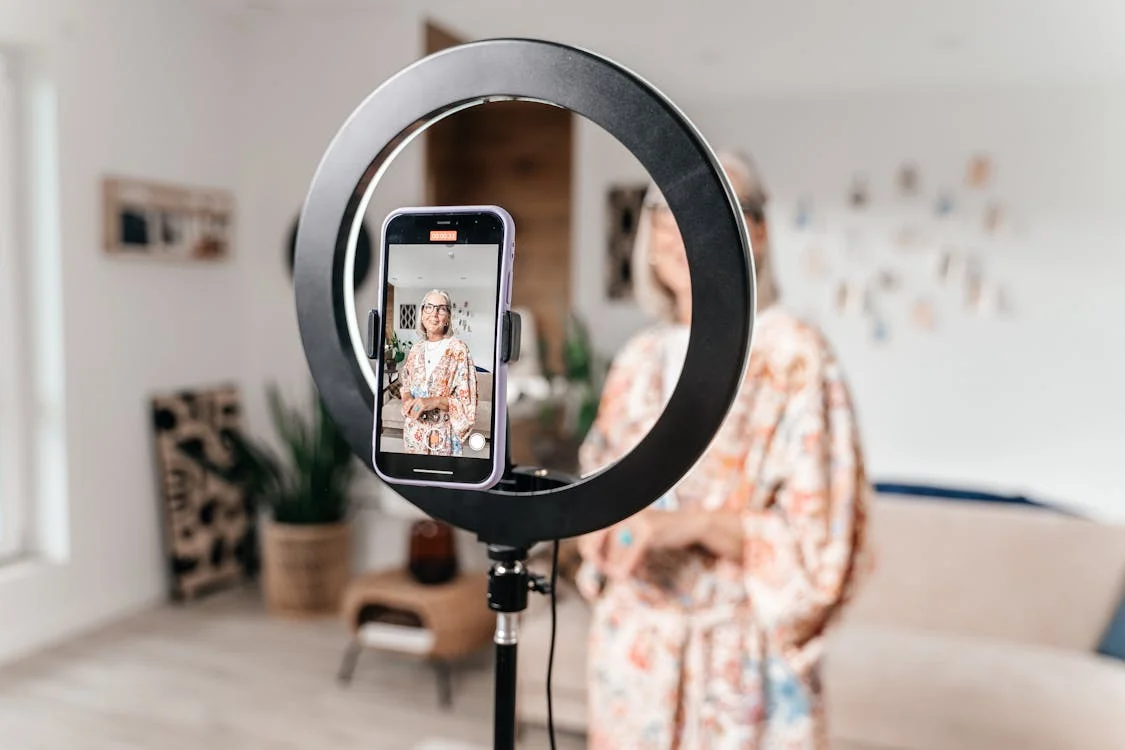
    • Artificial Light: If natural light isn’t available, use a ring light or lamps with diffusers to brighten your space. Position the light in front of you to avoid shadows on your face.

    4. Choose the Right Background

    • Neutral Backdrop: Film against a plain, solid-colored wall or use a portable backdrop. Avoid busy or distracting backgrounds.

    5. Record Clear Audio

    • Minimize Background Noise: Choose a quiet location and turn off fans, air conditioners, and other noisy devices.
    • Use a Microphone: If possible, use an external microphone for crisp audio. A clip-on lavalier mic or a shotgun mic can make a big difference.

    6. Frame Your Shot

    • Medium Close-Up: Most self-tapes require a medium close-up shot, from your chest to just above your head. Ensure your face is centered in the frame.
    • Eye Level: Position the phone at eye level to create a natural and engaging angle.

    7. Rehearse and Record

    • Practice First: Run through your lines and blocking a few times before recording to ensure a smooth performance.
    • Film Multiple Takes: Record several versions of your scene so you can choose the best one to submit.

    8. Edit and Submit

    • Trim Excess Footage: Use your phone’s built-in editing tools or apps like iMovie or InShot to cut unnecessary pauses or dead space.
    • Rename the File: Follow casting instructions for naming your file (e.g., “YourName_Role.mp4”).
    • Submit As Directed: Upload your tape via email, casting platform, or file-sharing service as specified in the audition notice.

    Common Mistakes to Avoid

    1. Vertical Videos: Always film in landscape mode unless explicitly instructed otherwise.
    2. Shaky Footage: Stabilize your phone to maintain a professional look.
    3. Poor Lighting: Make sure your face is well-lit and clearly visible.
    4. Noisy Environments: Eliminate background noise for clear audio.
    5. Overediting: Keep edits simple and avoid excessive filters or effects.

    Final Thoughts

    Filming a self-tape on your phone is not only convenient but also highly effective with the right approach. By paying attention to lighting, framing, audio, and overall presentation, you can create a self-tape that meets professional standards and leaves a lasting impression on casting directors.

    Recommended Posts

  • Ad

  • Actor Profile: Will Arnett

    Actor Profile: Will Arnett From Gob Bluth and BoJack Horseman to LEGO Batman, Reese’s and Subway, Will Arnett has turned a distinctive voice and fearless comic timing into a remarkably versatile career (By…

    Actor Profile: Charles Barkley

    Actor Profile: Charles Barkley From NBA superstar to Inside the NBA icon, Charles Barkley has become one of advertising’s funniest and most recognizable athlete-performers (By Carmichael Phillip) Quick Summary: Charles Barkley is a…

    Actor Profile: Ben Barnes

    Actor Profile: Ben Barnes From Prince Caspian and The Darkling to T-Mobile, Ben Barnes has built a career around charm, intensity and remarkable versatility (By Carmichael Phillip) Quick Summary: Ben Barnes is a…

    Actor Profile: Alfonso Ribeiro

    Actor Profile: Alfonso Ribeiro From Carlton Banks and the Carlton Dance to Broadway, Pepsi, State Farm and two of television’s biggest hosting jobs (By Carmichael Phillip) Quick Summary: Alfonso Ribeiro is an American…

    Actor Profile: Keke Palmer

    Actor Profile: Keke Palmer From Akeelah and the Bee and Nope to Verizon, Google and Starry, Keke Palmer has grown from child performer into one of entertainment’s most versatile stars (By Carmichael Phillip)…

  • Ad

  • Actor Profile: Patrick Mahomes

    Actor Profile: Patrick Mahomes The Kansas City Chiefs superstar has become one of advertising’s most recognizable athlete-performers (By Carmichael Phillip) Quick Summary: Patrick Mahomes is a superstar NFL quarterback for the Kansas City…

    Actor Profile: Milana Vayntrub

    Actor Profile: Milana Vayntrub The actress behind AT&T’s Lily Adams turned commercial comedy, improv and voice acting into a remarkably versatile career (By Carmichael Phillip) Quick Summary: Milana Vayntrub is an American actress,…

    Actor Profile: Donald Faison

    Actor Profile: Donald Faison From Scrubs and Clueless to T-Mobile, Donald Faison has turned comic timing, friendship and natural charisma into a remarkably durable career (By Carmichael Phillip) Quick Summary: Donald Faison is…

  • Ad

  • Actor Profile: Terrence Terrell

    Actor Profile: Terrence Terrell Meet the Emmy-winning actor behind Progressive Insurance’s unforgettable half-man, half-motorcycle character, Motaur (By Carmichael Phillip) Quick Summary: Terrence Terrell is an American actor, writer, director and author best known…

    Actor Profile: Jon Hamm

    Actor Profile: Jon Hamm From Don Draper to Carvana, Mercedes-Benz and Progressive, Jon Hamm has turned effortless authority and dry humor into a remarkably versatile career (By Carmichael Phillip) Quick Summary: Jon Hamm…

    Actor Profile: Glen Powell

    Actor Profile: Glen Powell From Top Gun: Maverick and Twisters to Ram Trucks, Glen Powell has become one of Hollywood’s most recognizable modern leading men (By Carmichael Phillip) Quick Summary: Glen Powell is…

    Actor Profile: Blair Underwood

    Actor Profile: Blair Underwood From L.A. Law to Lexus, Blair Underwood has built a career defined by intelligence, authority and understated screen presence (By Carmichael Phillip) Quick Summary: Blair Underwood is an American…

    Actor Profile: Anthony Anderson

    Actor Profile: Anthony Anderson From Black-ish to T-Mobile and Arby’s, Anthony Anderson has built one of television’s most recognizable comedic careers (By Carmichael Phillip) Quick Summary: Anthony Anderson is an American actor, comedian,…

  • Ad

  • Actor Profile: Paul Mabon

    Actor Profile: Paul Mabon Meet the veteran actor and improviser behind Alan in Progressive Insurance commercials (By Carmichael Phillip) Quick Summary: Paul Mabon is an American actor, comedian and poet who is widely…

    Actor Profile: Bill Glass

    Actor Profile: Bill Glass The actor and improv veteran behind Progressive’s mustachioed Parenta-Life Coach, Dr. Rick (By Carmichael Phillip) Quick Summary Who is Bill Glass? Bill Glass is an American actor, comedian and…

    Actor Profile: Natalie Palamides

    Actor Profile: Natalie Palamides The fearless comedian behind Progressive’s Mara built her career through clowning, improv, voice acting and unconventional one-person shows. (By Carmichael Phillip) Quick Summary: Natalie Palamides is an American actress,…

  • Ad

  • Actor Profile: Jim Cashman

    Actor Profile: Jim Cashman Meet the actor, comedian and writer behind Jamie in Progressive Insurance commercials (By Carmichael Phillip) Quick Summary: Jim Cashman is an American actor, comedian and writer best known for…

    Actor Profile: Dean Winters

    Actor Profile: Dean Winters The actor behind Allstate’s Mayhem built a career spanning gritty drama, sharp comedy and one of advertising’s most recognizable characters. (By Carmichael Phillip) Quick Answer Who is Dean Winters?…

    Happy Coach – State Farm Commercial (Kevin Miles, Curt Cignetti)

    Happy Coach – State Farm Commercial (Kevin Miles, Curt Cignetti) Curt Cignetti tries to show his excitement while Kevin Miles, better known as Jake from State Farm, explains the Personal Price Plan. (By…

    Wings | Liberty Biberty | Liberty Mutual Insurance Commercial (Actor Tanner Novlan)

    Wings | Liberty Biberty | Liberty Mutual Insurance Commercial (Actor Tanner Novlan) Tanner Novlan returns to Liberty Mutual’s “Liberty Biberty” universe as the joke that made him famous becomes a full-fledged advertising character….

    Progressive | “Tuning In” Commercial – Dr. Rick (Actor Bill Glass)

    Progressive | “Tuning In” Commercial – Dr. Rick Bill Glass returns as Dr. Rick to help young homeowners navigate streaming services, remote controls and another familiar symptom of “turning into your parents.” (By…

  • Ad